
Searching Cases by Name
McCulloch County links to Local Government Solutions Online Records Search for its local index and images. The service goes by LGS. Search by name when the cause number is a mystery. First pick the office and record type, though. The District Clerk holds 452nd District Court criminal, civil, family, and juvenile files. The County Clerk keeps constitutional County Court criminal, civil, probate, and mental-health files. A JP case or Brady city matter belongs to its own court.
Type a last name first. Add details only once you know they are right. Spelling slips, suffixes, and old name forms can fracture the results. A shared name proves nothing about identity. Before trusting a row, slow down. Compare the court, case type, filing date, cause number, description, and status. LGS controls also shift with each office and record class.
- Open LGS and choose Guest Login, Login, or New Account.
- Select the correct McCulloch County office and record type.
- Enter the last name and any other field presented.
- Review results, then open More Information or Images when available.
- Ask the clerk to confirm an uncertain match.
| Field Label | Type | Required | Notes |
|---|---|---|---|
| Office | Selection | Yes | Choose the clerk that keeps the case. |
| Record Type | Selection | Yes | Examples include Criminal, Civil, Probate, and Property. |
| Last Name | Text | Varies | The county FAQ gives this as a search example. |
| Other filters | Varies | Varies | Controls depend on office and record type. |
McCulloch County LGS Access
LGS splits its free index search from document access. The county LGS FAQ explains the split. A guest can read index information and previews. A guest cannot buy full images. A registered user gives a valid email, verifies it, and unlocks purchase and subscription functions. Court cases may allow up to five images before a subscription kicks in. That cap covers images alone; the index search itself stays free.
Work the path: Search, then office, record type, criteria, results, then More Information or Images. To buy pages, use Add to Cart and Proceed To Checkout. The FAQ lists a mandatory thirty-cent transaction fee. Once checkout finishes, Download opens. Subscriptions keeps older purchases and receipts.
The official LGS sign-in screen lays out the choice between guest and registered access.
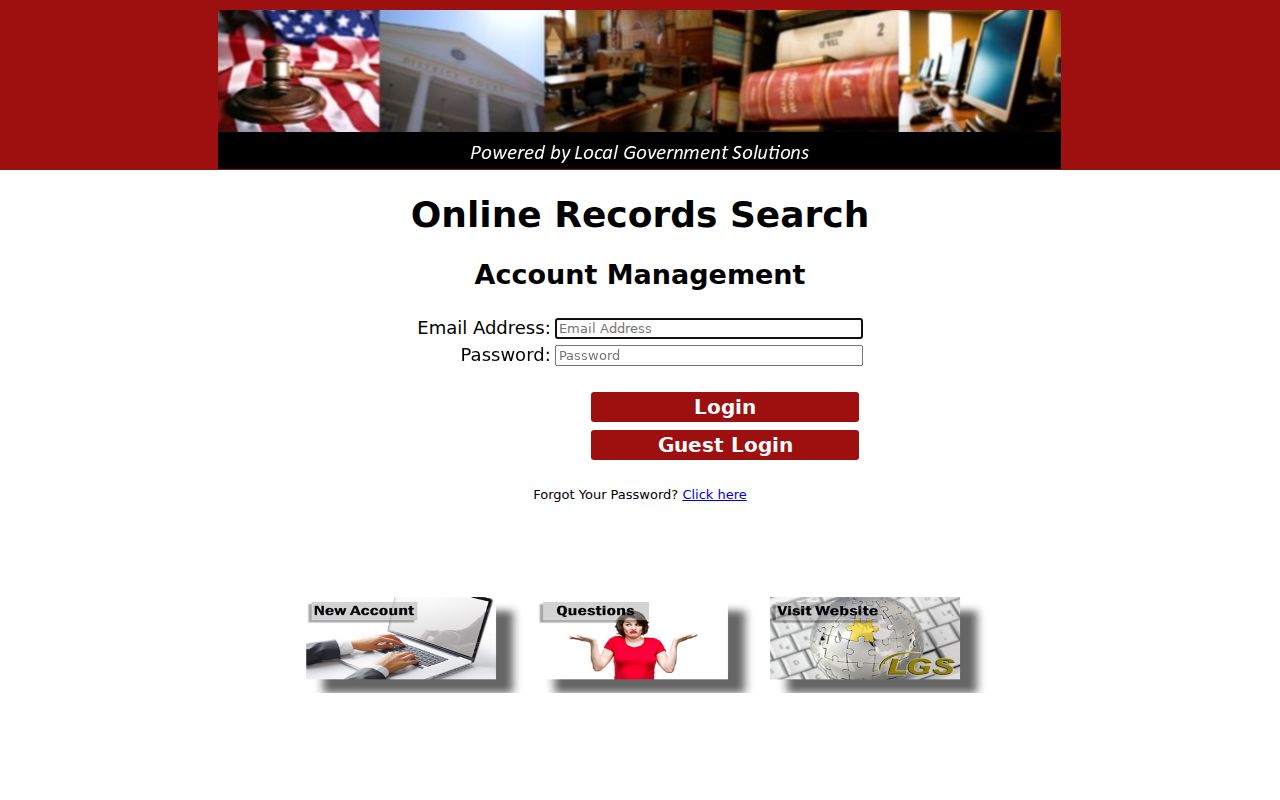
Guest, registered, and subscribed access are three different tiers. A missing image may stem from permissions, scanning gaps, record type, or a sealed file.
Searching by Case Number
A known cause number beats a name every time. In LGS, pick the likely clerk and record class, then type the number if that form has a number field. Check the style, court, filing date, and case type on the result. There is no single McCulloch County case-number mask. Do not force one format across district, county, JP, and municipal systems. Enter the identifier exactly as it appears.
Traffic systems play by their own rules. JP nCourt takes a Citation/Ticket Number or a Case/Cause Number, and it offers 123456A as an example. That trailing letter may matter. If a search stalls, the portal suggests dropping an initial zero. Brady Municipal Court wants the citation number plus a date of birth.
Number-first rule: use the identifier exactly as issued, then verify the court and case style before buying any image.
When McCulloch Case Search Fails
An empty result does not always mean there is no case. Switch offices and record types. Try the cause number, a narrower date window, or another spelling of the name. A recent civil or probate filing may be missing. Ask the County Clerk whether it has reached the public image system yet. Historical pages may never have been scanned. Secured documents stay hidden from a public user.
Is LGS itself down? Call the McCulloch County District Clerk about a 452nd District Court matter, or the McCulloch County Clerk about a constitutional County Court matter. The counter and phone routes handle alternate spellings, older files, and murky record classes.
Fresh filings can lag while systems trade records. A statewide result may carry less local detail. The clerk may hold pages that are not sold online. Ask staff to check. Give them the court, record type, rough date, names, and cause number.
Note: An online index is a finding aid; the clerk’s maintained file controls when completeness or certification matters.
What a Case Search Returns
A result row identifies a case. It is not the whole file. LGS can display index information, More Information, and eligible image previews. The county's separate daily docket PDFs do a different job, listing selected hearing settings rather than a full register of actions. A purchased image is one filed page. It is not proof you hold every filing in the case.
| Case or cause number | The court identifier used to separate similar matches. |
|---|---|
| Cause style | The caption used to identify the case. |
| Court and type | The office and class, such as criminal, civil, probate, or family. |
| Filed date and status | Index details when the selected class exposes them. |
| Images | Public scans or previews when permitted. |
A docket may just be one day's setting list. A register of actions tells a longer story: the dated history of every event. An order directs something; a judgment finally decides it. Read the filed document itself before inferring any outcome from a hearing label.
McCulloch Appeals Use TAMES
Appeals from McCulloch County travel to Austin. The Third Court of Appeals hears them. Yet the local case file never leaves the district or county clerk who keeps it. To track the appeal itself, use the state's Texas appellate Case Search, known as TAMES. One caution: TAMES holds no trial-court dockets. Its reach is narrow. It covers the Supreme Court, the Court of Criminal Appeals, and the numbered Courts of Appeals only.
Searches there can run on a full or partial appellate number, a case style, a filing-date range, an attorney or bar number, the trial-court number, the trial county, or the trial court. The data refreshes nightly. Those fields work well once a McCulloch County case has become an appeal, but they cannot turn TAMES into a trial-docket database.
The portal's own page lays out that appellate scope plainly.
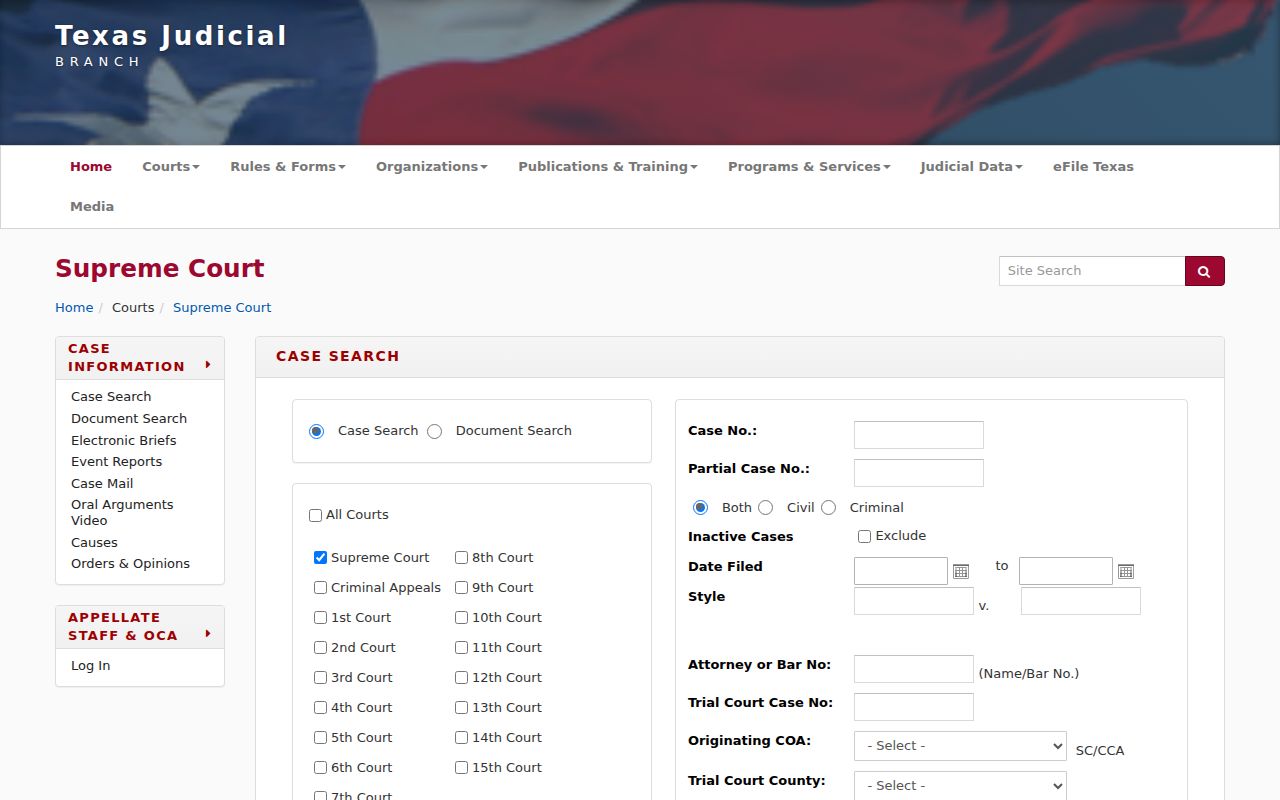
Use its trial-court number field only after confirming that an appellate case exists.
Statewide vs County Case Search
re:SearchTX plays a different role from LGS. LGS is the county-linked product; re:SearchTX is the statewide layer. A Texas Judicial Council report describes role-based access to participating trial records. That access covers cases, filings, and hearings. The same report notes that public criminal documents stay out of that statewide pool. Integration and security shape what surfaces there. So a quiet statewide result should send you back to the McCulloch County clerk.
| Route | Coverage | Best use |
|---|---|---|
| McCulloch LGS | Available local indexes and images | A known local filing |
| re:SearchTX | Participating Texas trial records | A broader trial search |
| TAMES | Texas appellate records | An appeal |
| Clerk | The maintained court file | Older, restricted, or certified records |
Two other state tools have narrow jobs. eFileTexas submits filings rather than serving public case searches, and OCA CARD reports totals rather than person-level cases.
McCulloch Case Index or Image
Know which product you actually need. The free index will locate a cause number and its basic metadata, nothing more. A document image shows an eligible filed page on screen. For anything official, you need a certified copy. Only the clerk can issue it with authentication. Paying for an image through LGS does not certify it. And a row in the index does not mean every page of that file is open to you.
- Guest login
- LGS access for index information and previews.
- Registered account
- A verified account that can use purchase functions.
- Preview
- A limited view that may not be the complete document.
- Certified copy
- A clerk-authenticated reproduction.
The county-linked LGS entry page begins those access paths.
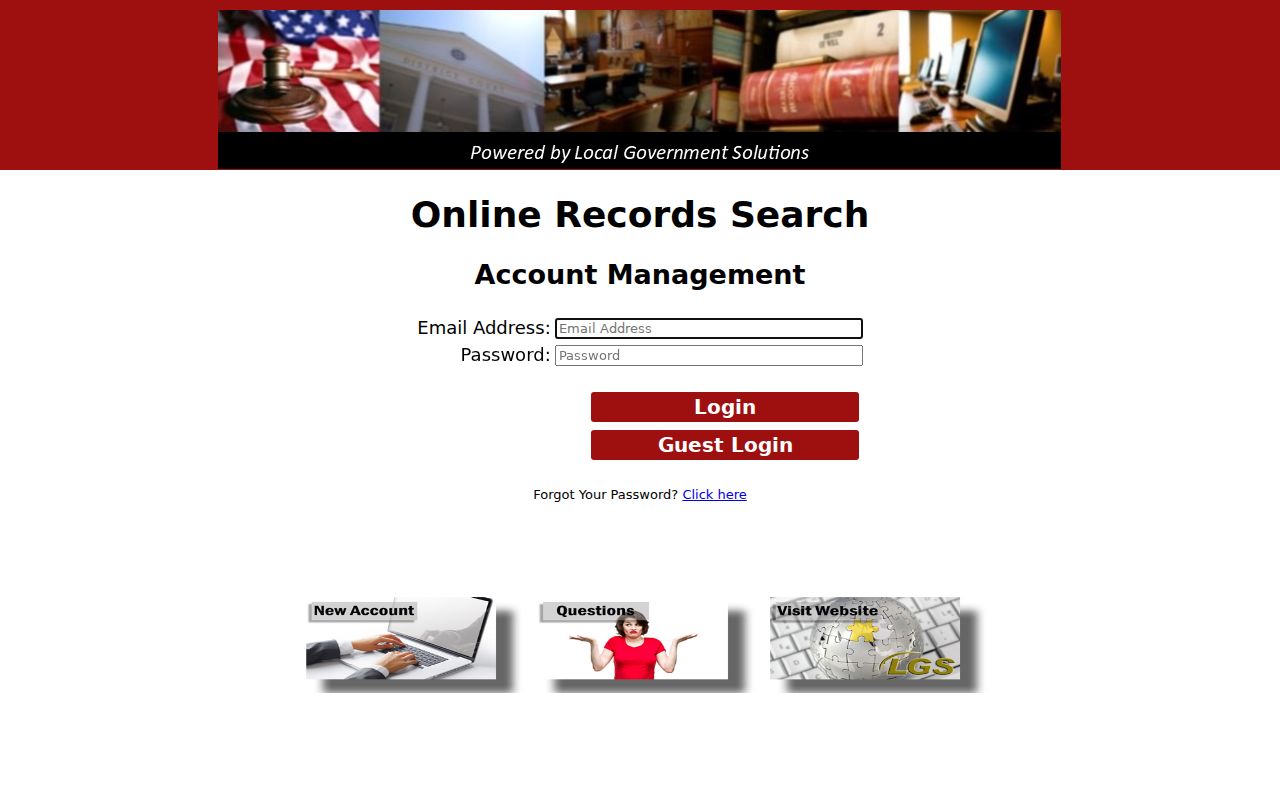
The login choice changes image rights, not which clerk owns the official file.
Access and Restricted Cases
Access has limits, both legal and practical. Juvenile dockets can be confidential or sealed. Family law, mental-health, child-protection, and protected-person data often carry added safeguards. A sealed or secured file may not appear at all. Or it may show only sparse index facts. Rule 76a sets the sealing standards for civil court records. Rule 12 covers judicial records and their exceptions.
The Texas Judicial Branch policy makes a useful distinction. Case records and judiciary administrative records do not travel under the same request law. Texas Government Code Chapter 552 likewise limits how the Public Information Act reaches the judiciary. Ask the clerk which route fits. A general request cannot override a court restriction on a McCulloch County file.
Restricted does not mean missing: a blank result may reflect confidentiality, security, scanning limits, or the wrong office.
Verify McCulloch Case Matches
A common name can pull false matches from any docket search. Before trusting a hit, compare the details. Check the court, case type, filed date, cause number, description, and disposition. A listed setting is not a result. Entries like "Plea," "pre-trial," and "arraignment" only name scheduled events. The filed judgment or disposition controls the outcome.
For a full chronology, request the docket sheet or register of actions from the proper McCulloch County clerk. Need pleadings, orders, or a judgment? Request those file items by name. The broader McCulloch County court records process covers turning a result into a plain or certified copy. Treat the portal row as a locator. It is never a substitute for the maintained court record.
Note: Confirm current portal labels and access terms before purchase because fields, security settings, and fees can change.